Billing Details
In the TreeDetect system, every user can easily and transparently manage their billing details in the profile settings.
All information needed to generate invoices can be entered or updated there.
Managing Billing Details
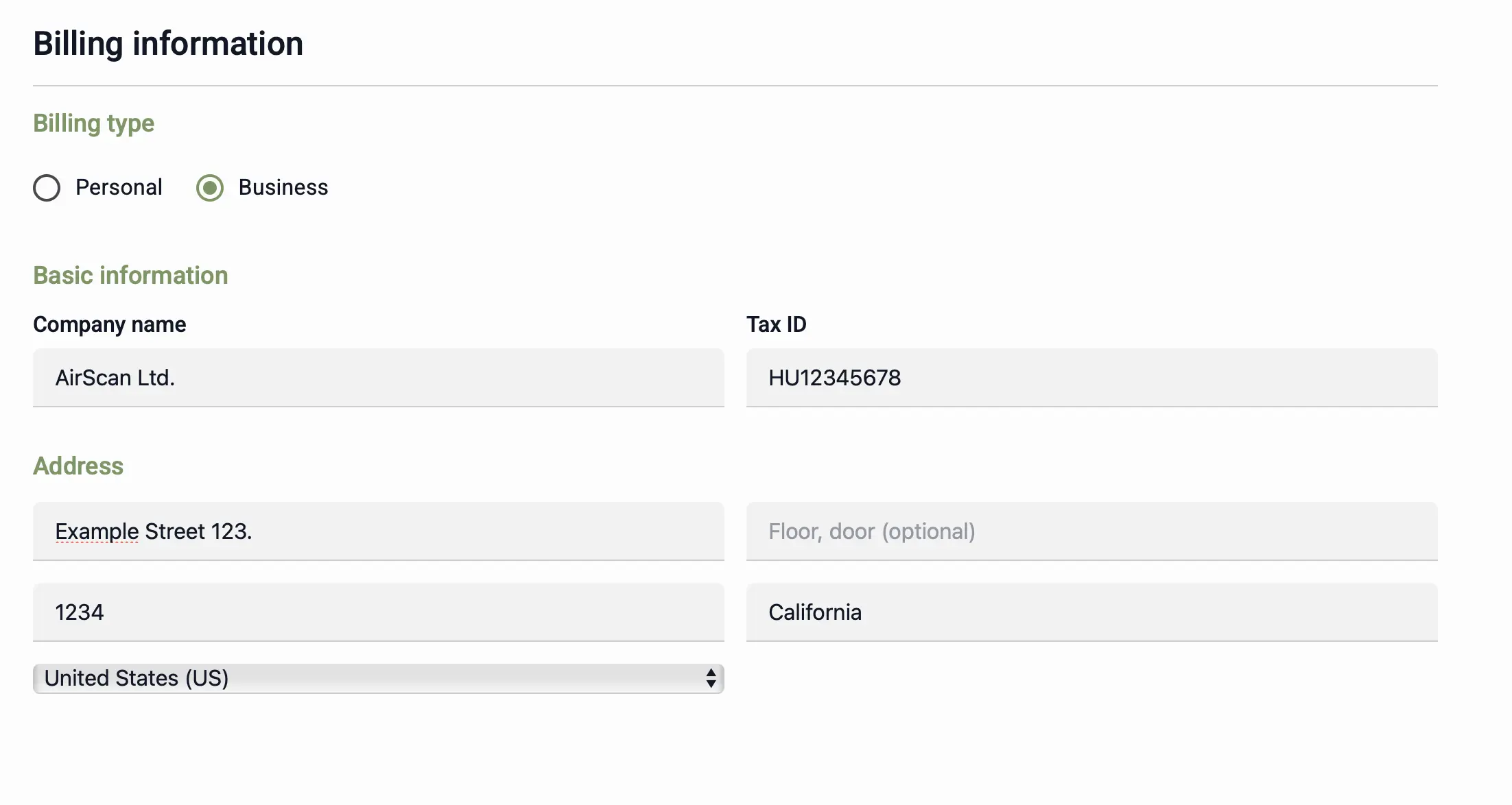
Billing details are accessible under Profile → Billing.
Two types of billing profiles are available:
- Individual
- Company
Depending on the selection, the system automatically displays the required fields, for example:
- For a company: company name, tax number, registered address
- For an individual: full name, residential address
✅ Advantage:
The system automatically saves the entered details, so they don't need to be re-entered at each subsequent payment.
Tax and VAT Information
TreeDetect invoices are issued in accordance with the tax regulations of the applicable country.
The amount paid always includes the current applicable VAT, so the displayed price reflects the gross total.
Billing Process
- The invoice is automatically generated when processing is complete.
- The system issues an electronic invoice, which can be downloaded as a PDF.
- The invoice is available in two places:
- on the project page, after processing is complete
- under Profile → Orders, among all previous payments
⚠️ Warning:
The invoice is generated based on the billing data currently entered in the profile.
If the user updates their billing details, changes will only apply to future orders.